
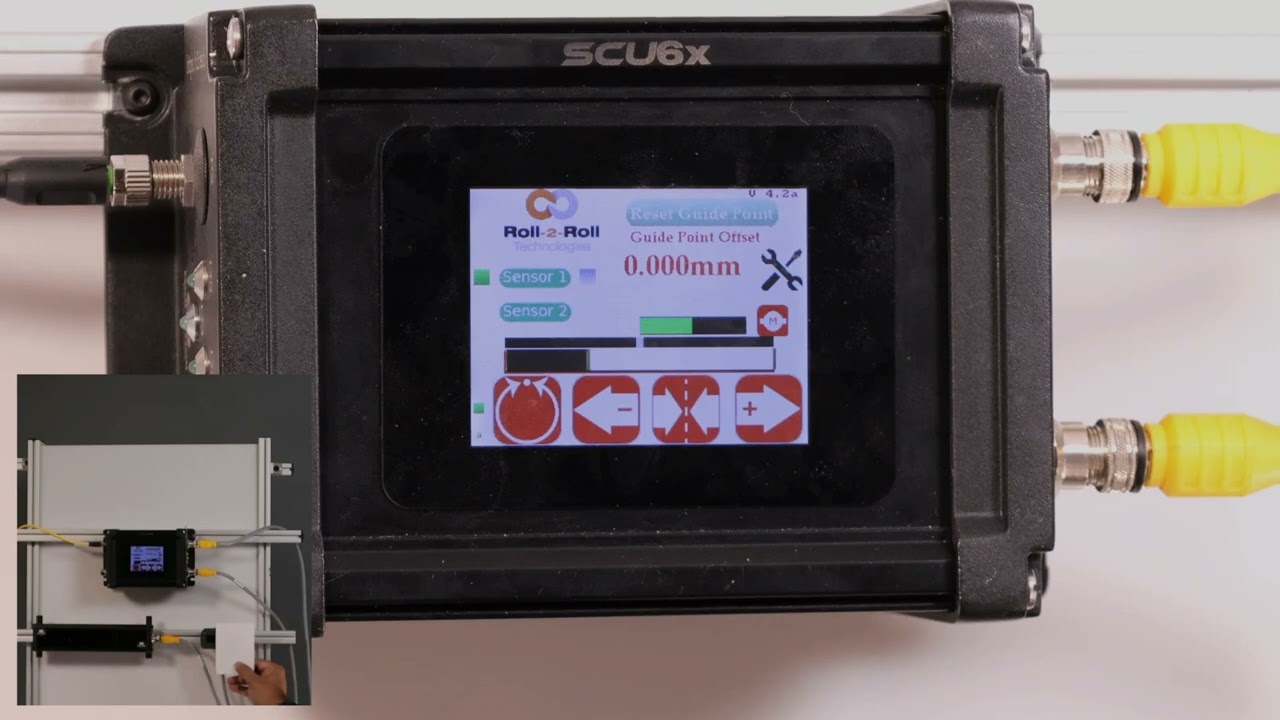
Understanding Web Position Monitoring with the SCU6x Controller In this episode, we showcase the functionality of the SCU6x Controller's web position monitoring system. By focusing on the left edge of the web, we demonstrate how the white region in the web position indicator represents the web, while the black region indicates the background. As the web position moves from right to left, the indicator updates accordingly. We also explore how changing the orientation to the right causes the bar to switch directions, allowing for precise monitoring of web positions.
00:00 Introduction to Web Presentation
00:05 Understanding the Web Position Indicator
00:30 Configuring Web Orientation
Transcript
Show full transcript (113 words)
so I will present the web right now and we're looking at the left edge of the web and as you can see that the white region in the web position indicator is representing the web and the black region is representing the uh backround or M so as I move back and forth if I have the Lage configured for the orientation then as I move from right to left the web position is going to increase from right to left just like what you see on the screen if we change that orientation to right the bar automatically switches and it goes in the other direction just like what be right