
This video looks at protecting access to the operator and power user screens through the use of password protection in the SCU6x Controller. It shows how to enable and disable the password, explains the different user levels, and how to change the passwords. The video also covers important information about default passwords and the process to reset them if forgotten. Operator Screen Access Protection.
Transcript
Show full transcript (556 words)
We talked about this tools icon here and one of the common questions that we get asked is is it possible for us to lock the screen so that only people who have privileges to access that have access to it and we can do that in our password screen right here. This password screen allows the operator or the power user to lock certain parts of the controller so that the access is restricted to those who are familiar and knowledgeable about what the consequences of the changes would be. So there are two main user levels. This one on the top is what we call as an operator level axis.
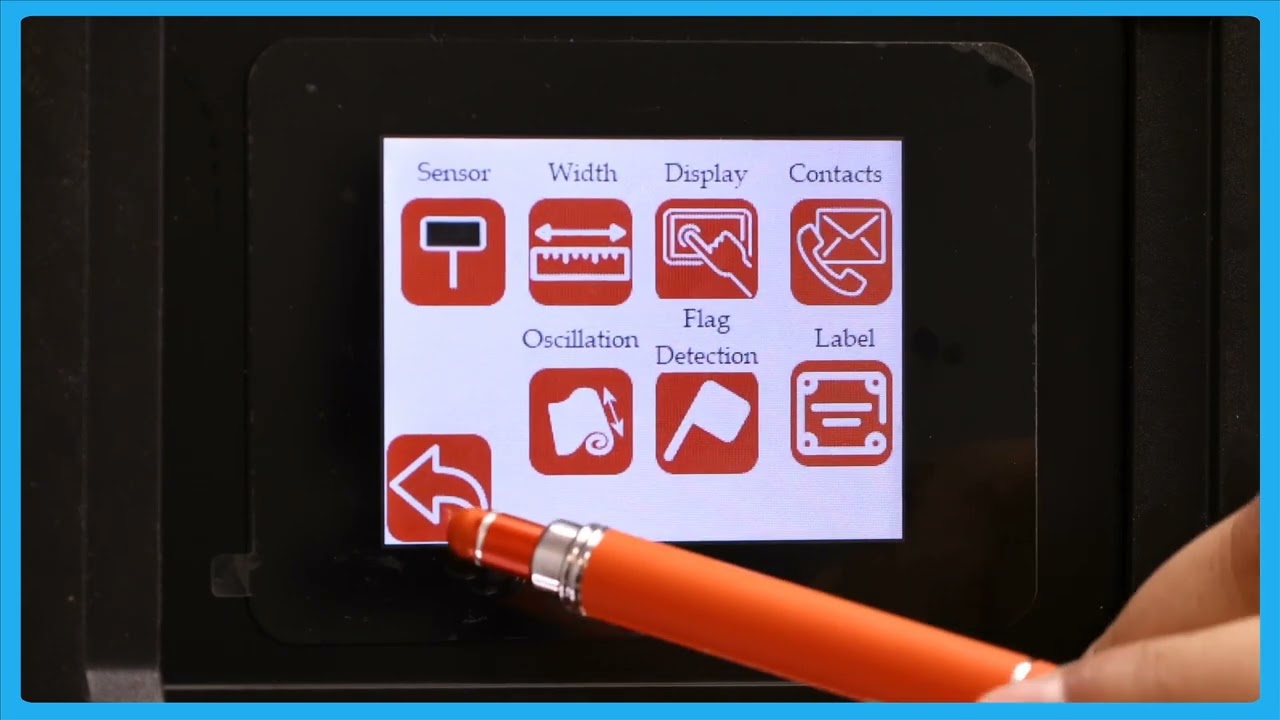
This would be any operator that needs to change certain things with respect to the controller including setting up the sensor. If you want to do line guiding, contrast guiding or pattern guiding, all of those are available to the operator through the operator screen. If I click on that, you can see the things available for the operators to change. Again, setting up the sensor.
If you're doing width measurement, you can look at the different width measurement options that we have. We'll go into detail about this in a later video. And then the next level of access we have is the power user. This is somebody like a maintenance professional or anybody involved in commissioning our system.
Most of the functionalities here are one-time kind of things that you need to do when you try to install the system for the first time. So again a setting related to the actuator some other high-level sensor related settings controller options and communication if the customer wants us to enable or disable certain access levels we can do that and that's available in the power user to be able to do it. One of the questions that we get asked all the time is how do you know when a password is enabled or not? As long as you see these icons, that means that the passwords are not enabled.
If I go in and enable the password on the operator screen, then that icon has disappeared. So, you won't be able to have access to that unless you enter the operator password. Likewise, if I go in and lock the power user screen, we won't be able to see the the icon for that. Nobody would be able to enter it unless you enter the password.
That's essentially how you would enable and disable the password. [Music] If you want to change the password, there's an option to change the password. All you need to do is pick the password you want to change. Let's say the operator or the power user.
You would click that, enter your current password, and then change it to new password. So, the passwords are fourdigit long. and please contact the factory to get the default password information. Once you have the default password, you can go in and change the password for the operator screen and the power user screen.
But please note that once you change the password, there's no way that we would know what the password is. So, we wouldn't be able to recover that unless you send the controller back to us. So, that's essentially what this password screen is. [Music]