
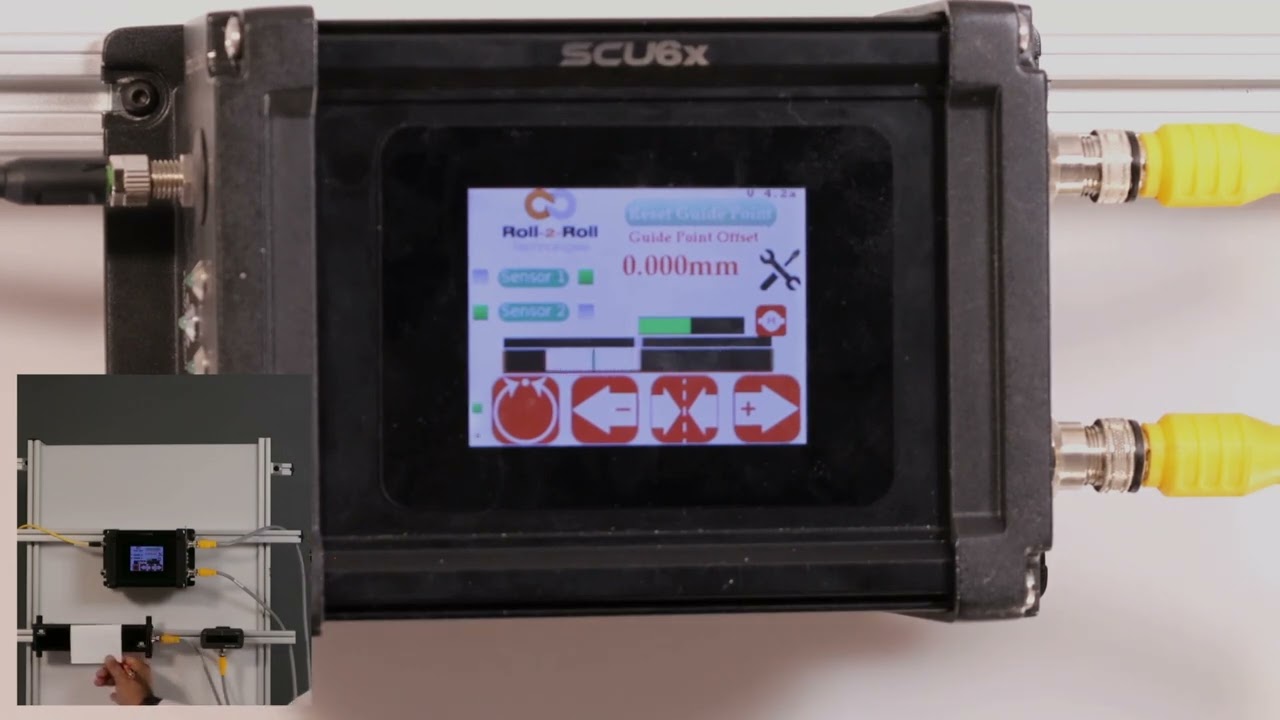
In this video, we explore the nuances of using different sized sensors for center guiding in web applications with the SCU6x Controller. Normally, it’s recommended to use two sensors with the same measuring range and resolution to avoid confusion. However, this video demonstrates how it's possible to use sensors of varying sizes and addresses the potential confusion that may arise. You'll learn about sensor configuration, including how the screen displays information when different sensors are used, and how the web position indicator operates. We also cover key aspects such as sensor orientation, web position indicators, and web detect signals.
00:00 Introduction to Center Guiding with Sensors
00:20 Using Different Sensor Sizes
00:36 Configuring Sensors and Screen Display
01:20 Understanding Sensor Confusion
02:08 Conclusion and Key Takeaways
Transcript
Show full transcript (363 words)
one of the things that I want to point out is that in uh normal situations we will always ask that uh when you do Center guiding with two sensors that you use two of the same sensors with the same measuring range and same resolution it just makes it easy and it avoids any confusion here I just wanted to show that it's possible to use different sizes of sensors when you do centering uh what where does this confusion come from just to show on the screen what I mean by that we have one sensor configur to left and the other sensor configur to the right and when we do that the screen is going to be split up into two regions or the web position indicator is going to be split up into two regions if I present the web on just one sensor so I'm presenting it on sensor one which is config as great sensor you can see that only that great half is being updated likewise only the left half is being updated and then when I have a web wide enough it sees both sensors then the portion of the left half corresponding to the left sensor and the portion of the right half corresponding to the right sensor is only going to show up there so the confusion arises mainly because we have one sensor that is almost six times or or eight times wider than this sensor but we only have the same 50% uwing area on the top so when we move just a little bit on the bottom sensor it seems like it's moving a lot whereas when we move little bit on the top the the right left sensor then it seems like it's moving a little but in reality it's moving the same amount but it's just that on the screen we don't have we're not scaling that based on the two different sensors range so that's the difference so we covered the main things with the sensors in terms of the orientation how the web position is indicated how you get the web detect signal and things like that