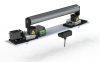

Roll-2-Roll Steering Guide
Most Intelligent WEB GUIDES should be EASY TO USE!
Key Features
Technical capabilities designed for precision and reliability.
- Intermediate and terminal guiding – versatile positioning for various line locations
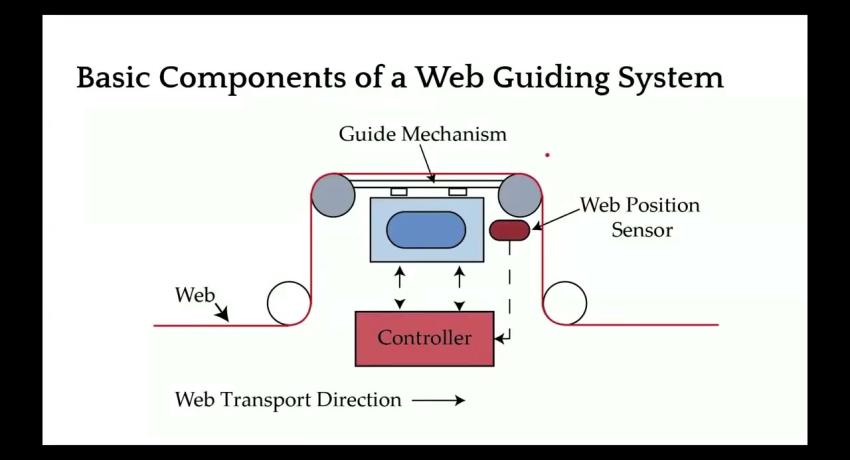
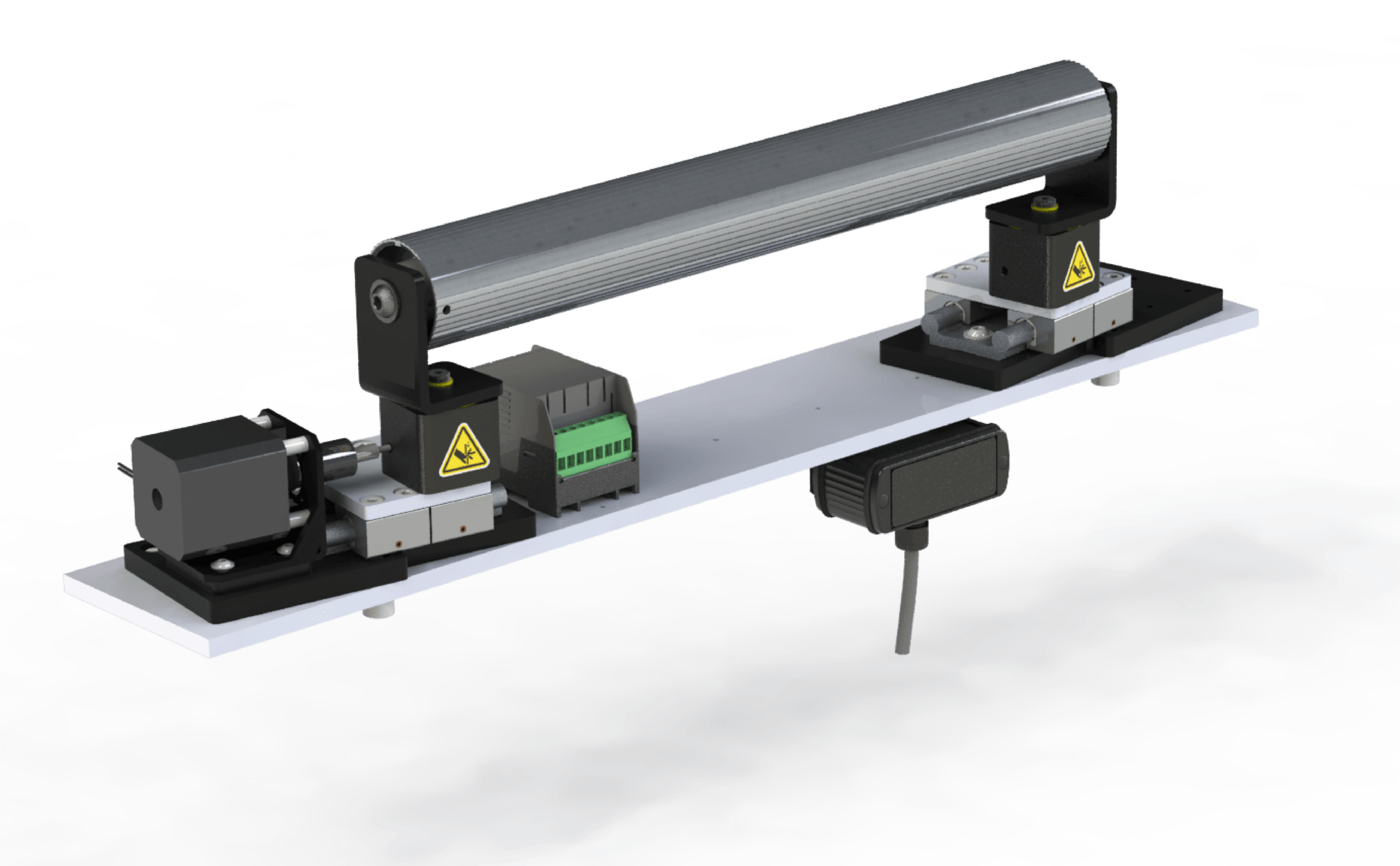
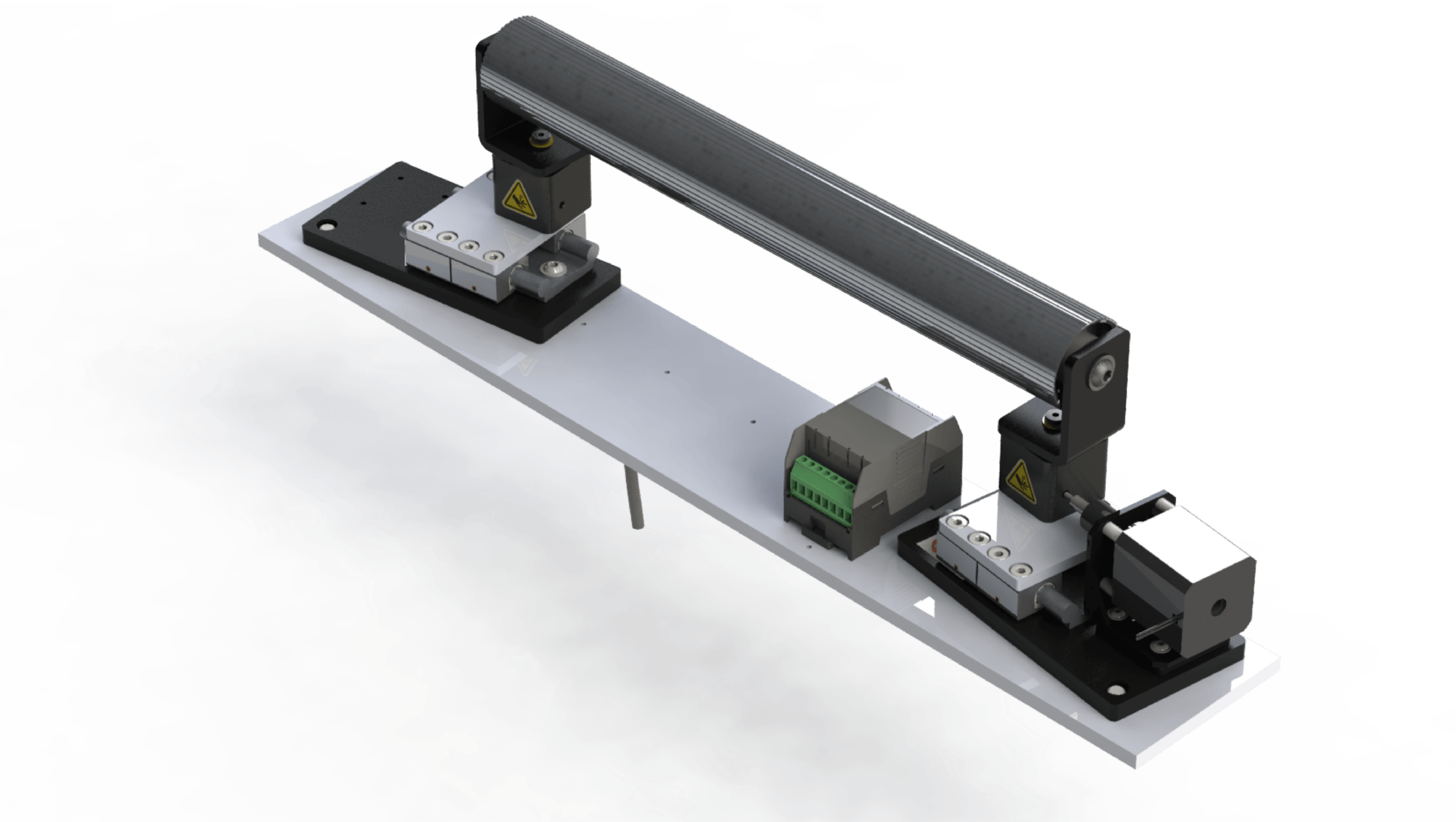
- Complete integrated system – sensor, controller, actuator, and frame included
- Zero recalibration sensors – material-agnostic detection works on any substrate
- Multiple mounting options – pivot, rod eye, or clevis mounting available
- High thrust options – RLA actuators for demanding applications
Key Benefits
Measurable business value and operational improvements.
- Stop edge wander that causes quality defects and trim waste
- Eliminate manual web steering that ties up operator time
- End sensor recalibration when switching between materials
- Remove installation constraints – multiple mounting options fit your line layout
- Prevent process upsets – fast response maintains web position during transients
Specifications
Detailed technical specifications and performance data.
| System Includes | Sensor (ODC/1DC) + Controller (SCU5/SCU6x) + Actuator + Steering Frame + Cables | ||
| Guide Types | Intermediate and terminal | Actuator Options | LHS-WG, LHS-RF, RLA |
| Mounting Options | Pivot, Rod Eye, Clevis | ||
| Sensor Technology | Fiber optic (diffuse-reflective) | Controller | SCU5 or SCU6x |
| Repeatability | >99.9% | Resolution | 0.0635 mm (0.0025 in) |
Documentation & Downloads
CAD files, datasheets, manuals, and technical documentation.
Quick Start Guides
Step-by-step setup guides for this product.
Intermediate Web Guide
14 guides
-
Intermediate Web Guide — Edge Guiding — SCU5
After completing this guide, your web runs with one edge held on target — the guide steers it back the moment it drifts.
-
Intermediate Web Guide — Edge Guiding — SCU6x
After completing this guide, your web runs with one edge held on target — the guide steers it back the moment it drifts.
-
Intermediate Web Guide — Center Guiding — SCU5
After completing this guide, your web runs centered between its two edges — the guide holds the center as the edges wander.
-
Intermediate Web Guide — Center Guiding — SCU6x
After completing this guide, your web runs centered between its two edges — the guide holds the center as the edges wander.
-
Intermediate Web Guide — Line Guiding — SCU5
After completing this guide, your web tracks a printed or physical line — the guide follows the line as it moves across the web.
-
Intermediate Web Guide — Line Guiding — SCU6x
After completing this guide, your web tracks a printed or physical line — the guide follows the line as it moves across the web.
-
Intermediate Web Guide — Contrast Guiding — SCU5
After completing this guide, your web tracks a contrast boundary — a coating edge, color change, or stripe — and the guide follows it.
-
Intermediate Web Guide — Contrast Guiding — SCU6x
After completing this guide, your web tracks a contrast boundary — a coating edge, color change, or stripe — and the guide follows it.
-
Intermediate Web Guide — Master-Slave Guiding — SCU5
After completing this guide, your slave web follows the master web's side-to-side position, keeping the two layers aligned.
-
Intermediate Web Guide — Master-Slave Guiding — SCU6x
After completing this guide, your slave web follows the master web's side-to-side position, keeping the two layers aligned.
-
Intermediate Web Guide — Open-Loop Oscillation — SCU5
After completing this guide, your web traverses steadily back and forth on a programmed oscillation, with no edge feedback.
-
Intermediate Web Guide — Open-Loop Oscillation — SCU6x
After completing this guide, your web traverses steadily back and forth on a programmed oscillation, with no edge feedback.
-
Intermediate Web Guide — Closed-Loop Oscillation — SCU5
After completing this guide, your web oscillates back and forth around a tracked feature, staying referenced to it as the feature moves.
-
Intermediate Web Guide — Closed-Loop Oscillation — SCU6x
After completing this guide, your web oscillates back and forth around a tracked feature, staying referenced to it as the feature moves.
Product Videos
Watch demonstrations, tutorials, and application examples.
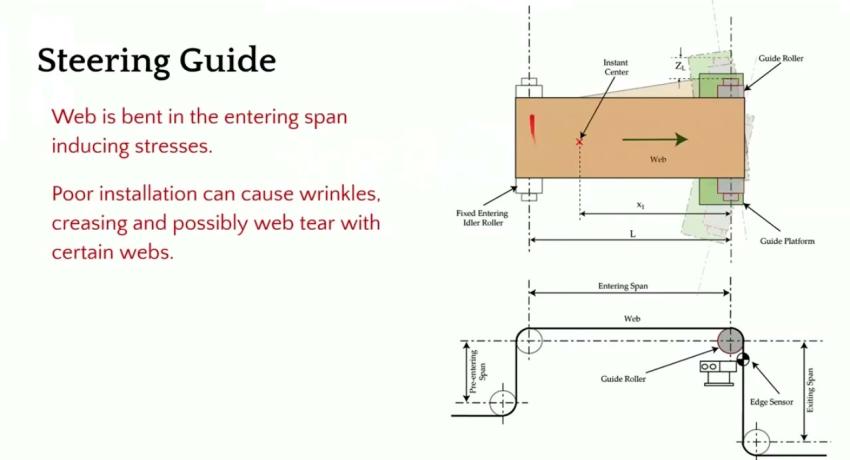
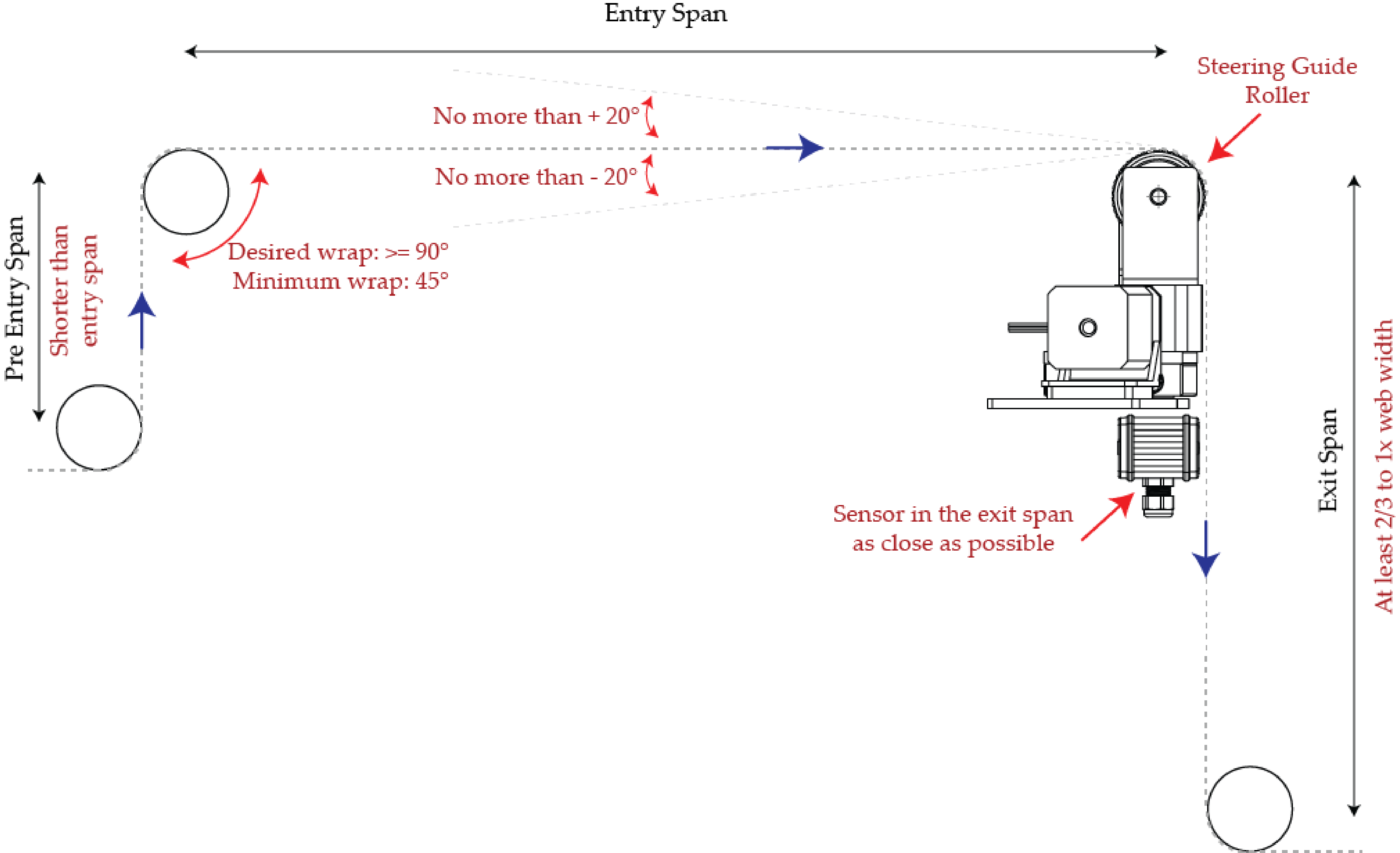
Steering Guide Installation Guidelines
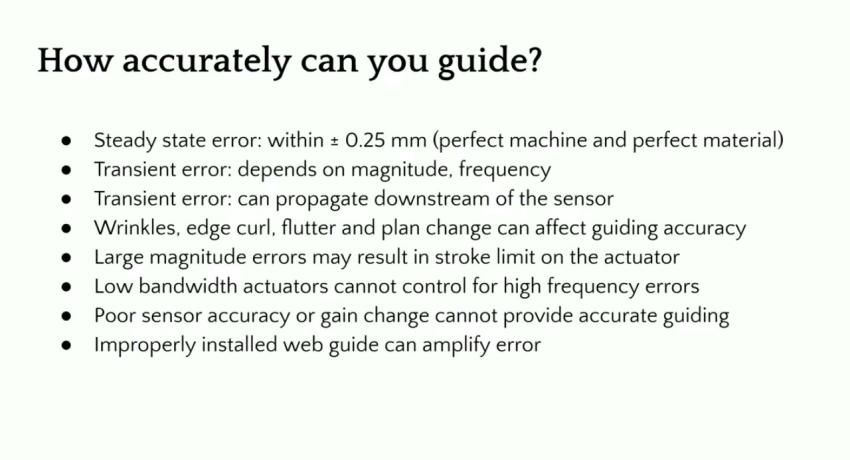
How Accurate can you Guide a Web?
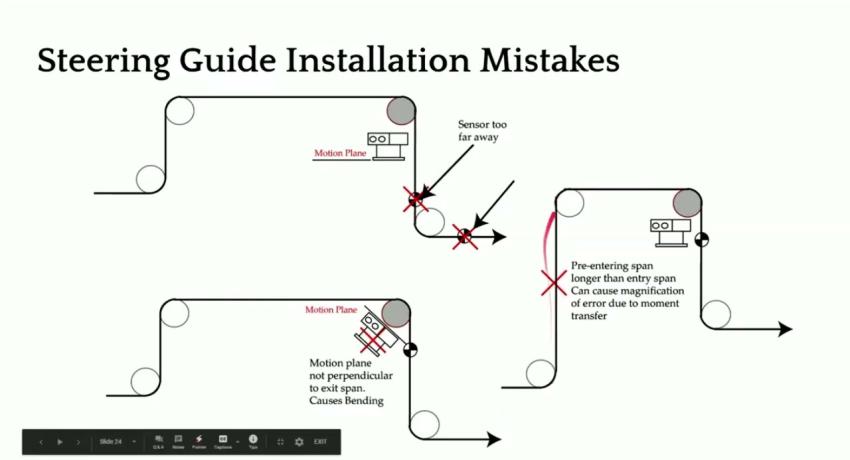
Steering Guides Installation Mistakes and Options
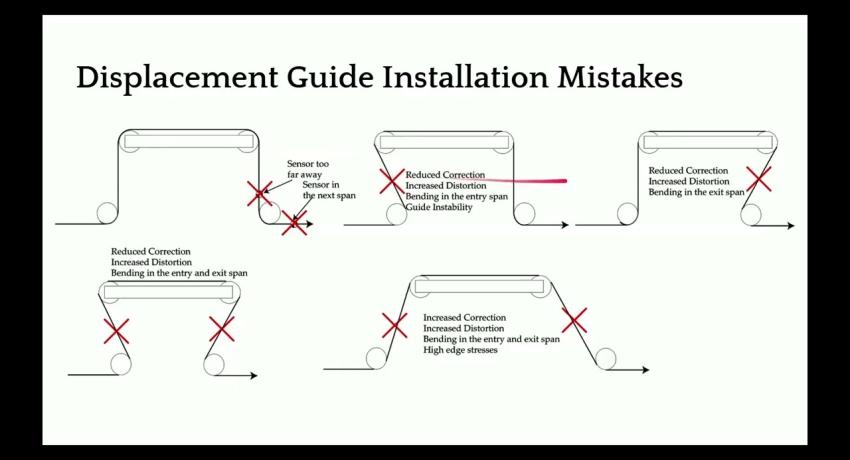
Displacement Guide Installation Mistakes
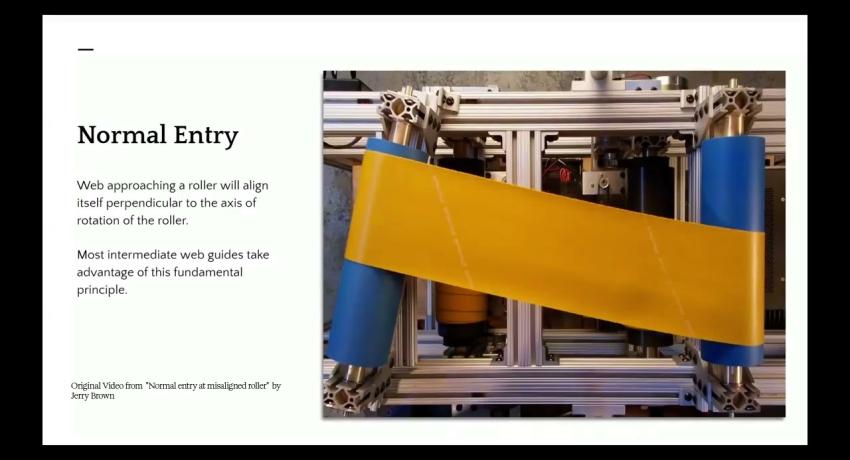
Normal Entry Rule - Web Guiding Fundamentals Webinar